 FuelMetric Pro
For Windows and Android
Tank dip to metric tons, exactly as the printed tables give it.
Enter the dip, temperature and density. FuelMetric Pro applies your tank chart and ASTM D1250-80 Tables 53B and 54B, and gives the stock in MT, with daily stock and receipt reports ready to sign.
Free to download for Windows 10 and 11. Pro from $29.99 a year. The Android app is in testing on Google Play.
On your PC
The stock office, on Windows.
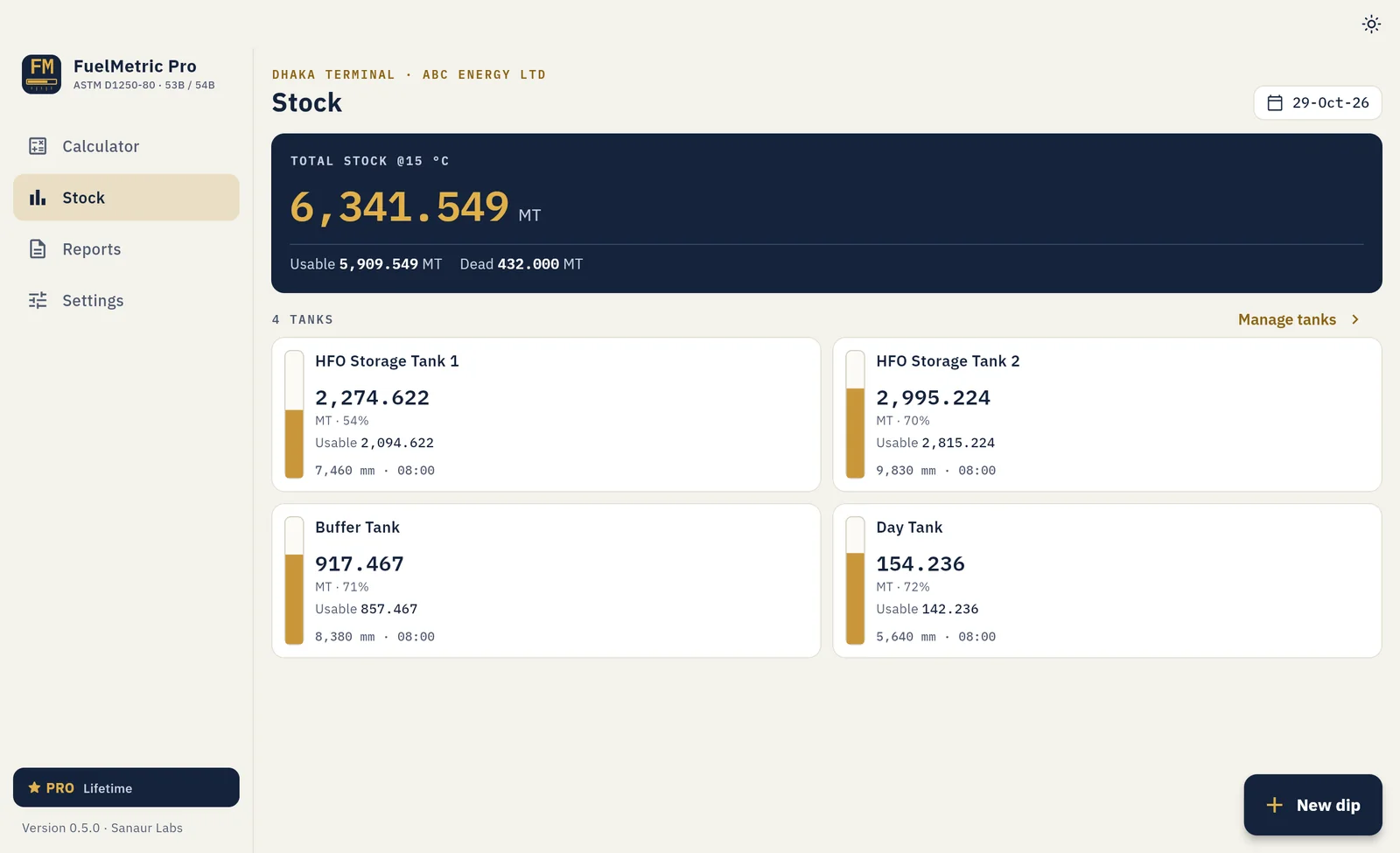
The full app on the office PC: every tank, the daily dip round, receipts and signed reports, in a layout made for a large screen and a keyboard.
- Sidebar layout made for the office PC
- Save PDF and Excel straight into your folders
- Same calculations and reports as the Android app
- One licence per PC; move it to a new PC any time
How it works
Built around the daily dip round.
Every screen follows the order the work is done on site, from the first tank dipped to the report on the desk.
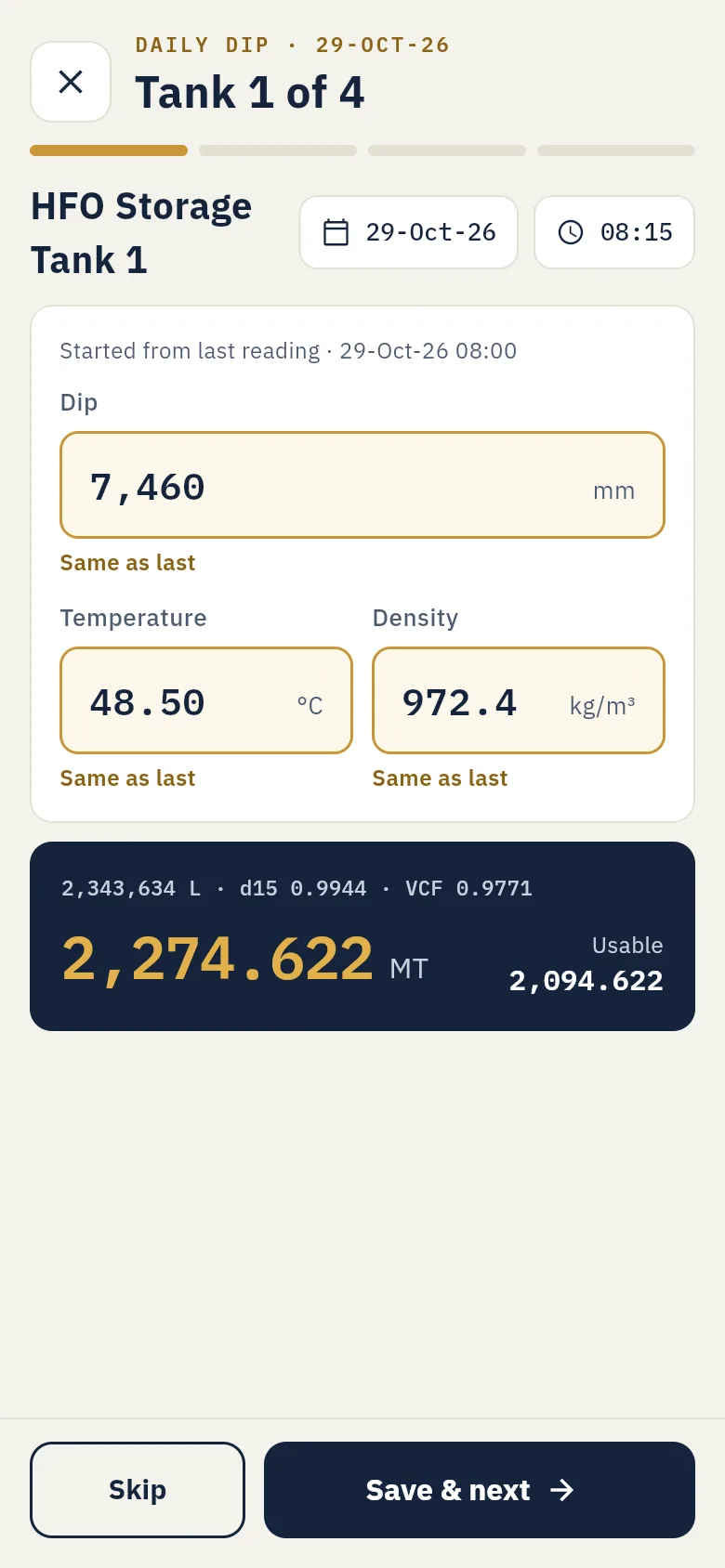
Dip each tank
Each tank opens with its last reading. Change what moved and save.
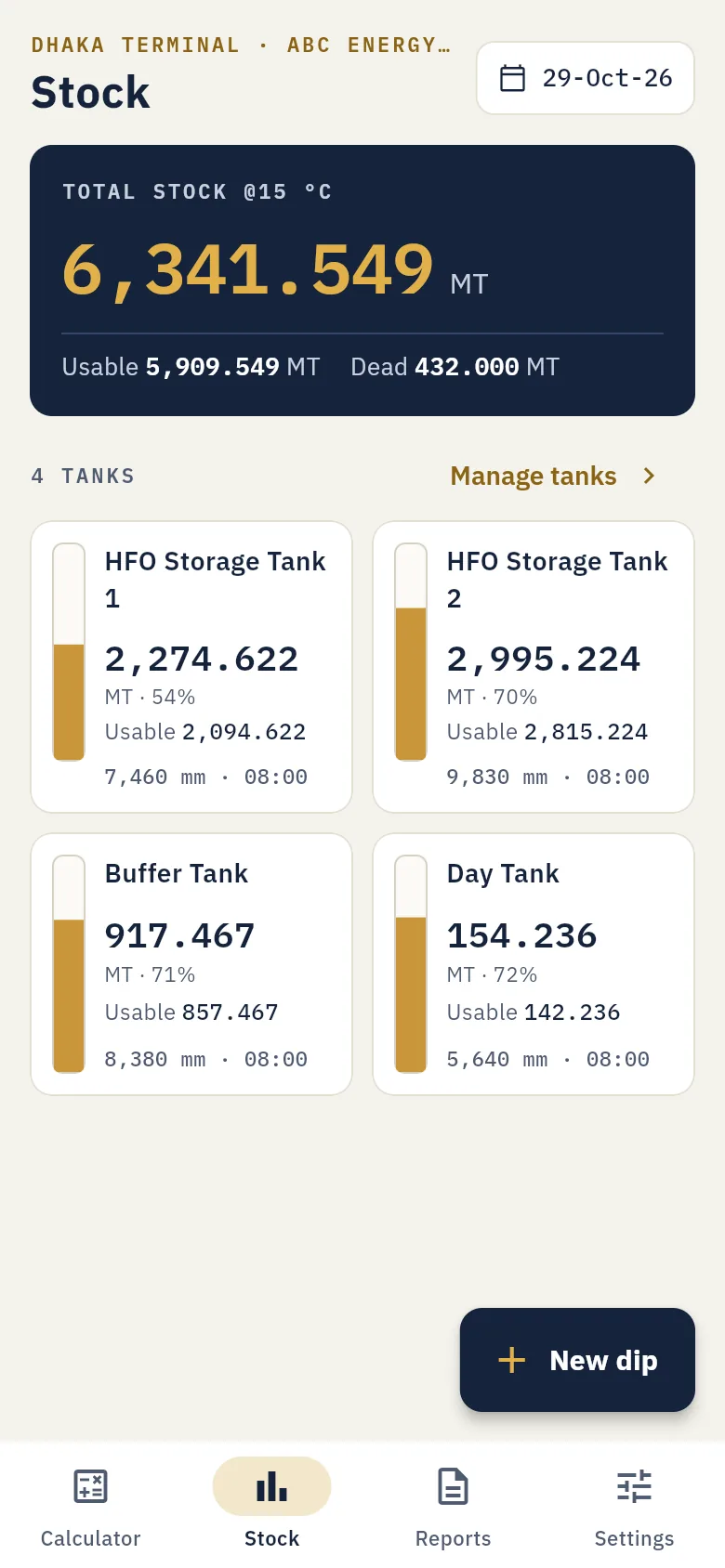
See the site's stock
Total and usable MT, fill level and dead stock for every tank.
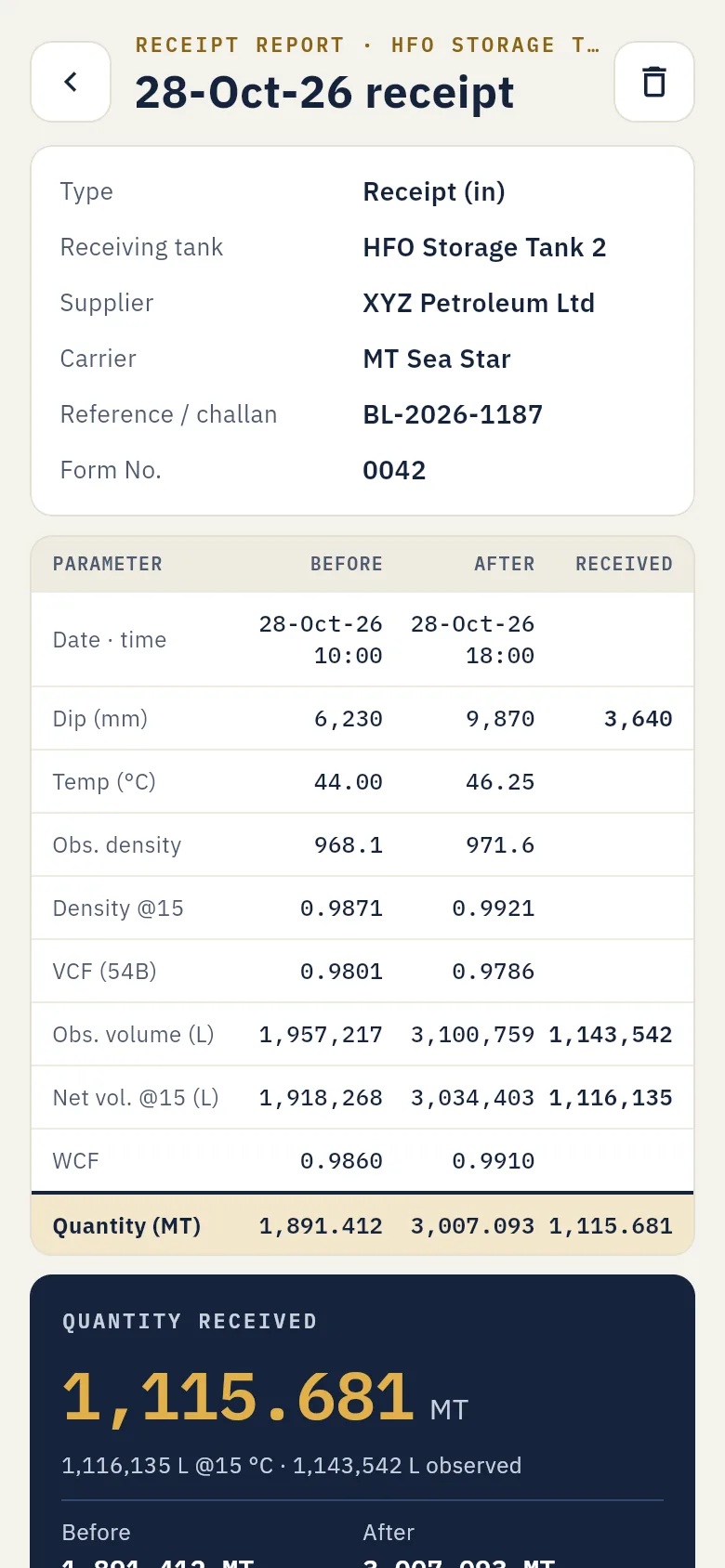
Record receipts
Before and After dips give the quantity, checked against the supplier.
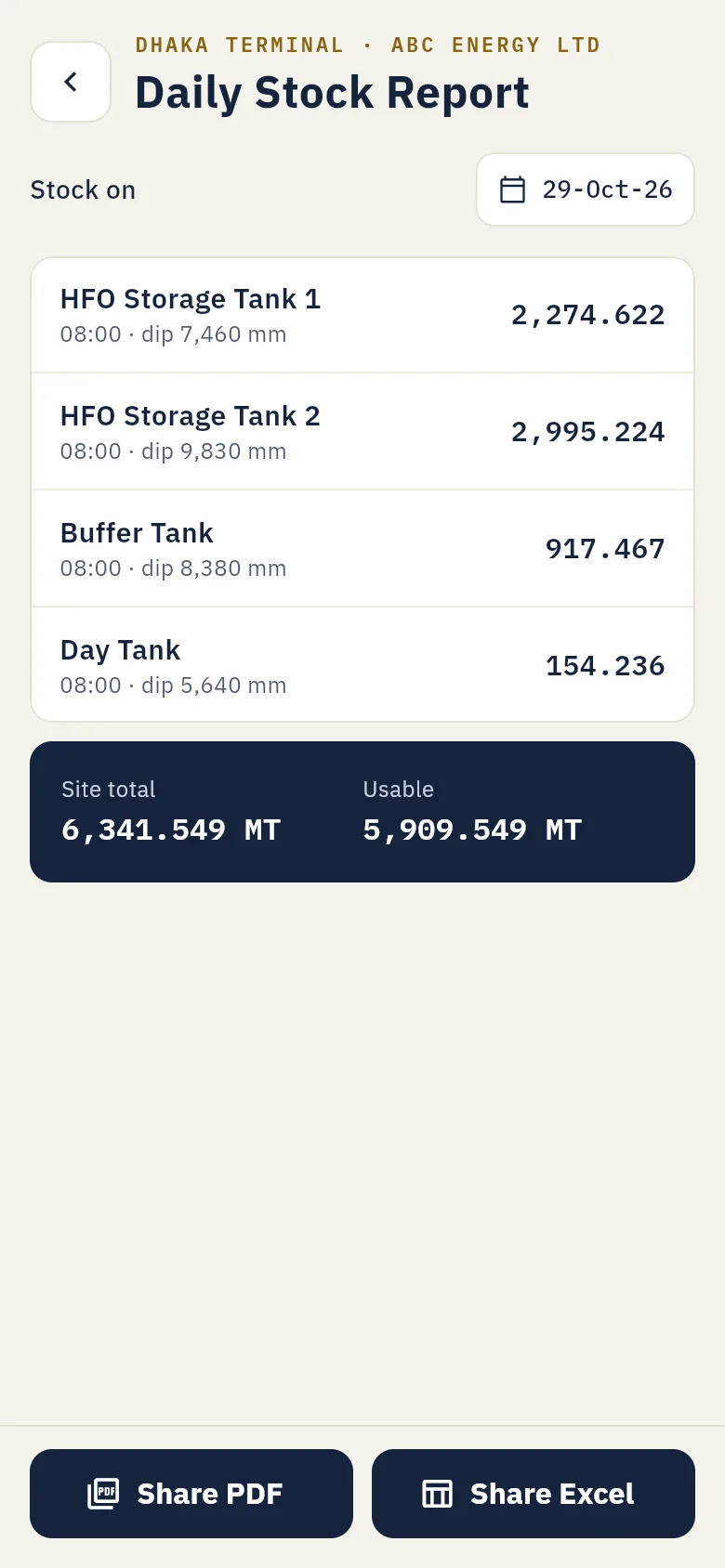
Share the report
PDF or Excel by email, WhatsApp or Drive, ready to sign.
Features
Everything for the daily stock, in one app.
From a single density check to the full site report, with the same method every time.
Density at 15 °C and VCF
Enter the observed density and temperature. The app gives density at 15 °C and VCF, and shows the table row and column it used.
Your own tank charts
Import each calibration chart from CSV. The app checks order, gaps and a spot dip before saving.
Daily dip round
Step through every tank in order, each filled from its last reading. Missed tanks carry forward, marked.
Receipts and transfers
Before and After dips give the quantity moved, set against the supplier's figure in MT and %.
Reports ready to sign
Daily stock report and receipt report as PDF or Excel, with Prepared, Checked and Approved boxes.
Private and offline
No account, no server, no ads. Your figures stay on your PC or phone; back up to one file any time.
Accuracy
The same answer as the book.
Many fuel-oil receipts are still settled on the printed ASTM D1250-80 tables. A calculator that uses only the formula can be one step off in some cells. FuelMetric Pro follows the printed tables and shows the row and column it used.
test calculations re-checked every time the app is updated
table values where the book differs from the formula; the app gives the book's figure
real receipt readings from a working power plant, matched
| Observed density | 958.0 kg/m³ | at 48.50 °C |
|---|---|---|
| Density at 15 °C | 980.1 kg/m³ | Table 53B |
| VCF | 0.9767 | Table 54B, col. 980 |
| Observed volume | 2,345,000 L | tank chart |
| Net volume at 15 °C | 2,290,362 L | volume × VCF |
| WCF | 0.9790 | 0.9801 − 0.0011 |
| Quantity | 2,242.264 MT | net × WCF |
Receipts
Know the difference before the supplier leaves.
Dip before and after the barge or lorry discharges. FuelMetric Pro works out the quantity received at 15 °C and sets it against the supplier's figure, on the receipt report both sides sign.
- Receipts and transfers, one tank at a time
- Supplier, carrier, reference and report number
- Wrong-direction entries are caught before saving
- Quantity received, measured
- 1,115.681 MT
- Supplier's figure
- 1,112.400 MT
- Difference
- +3.281 MT+0.29 %
Pricing
Start free. Go Pro when you run the whole site.
Windows and Android are bought separately.
Free
Always free
$0
Download
- Density at 15 °C and VCF
- One tank with your chart
- Stock in MT from a dip
- Backup and restore
Pro Yearly
For one PC, renews every year
$29.99
per year, cancel any time
Buy Yearly- Unlimited tanks
- Daily dip round and history
- Receipts with supplier check
- PDF and Excel reports
Pro Lifetime
For one PC, pay once
$69.99
one payment, no renewal
Buy Lifetime- Unlimited tanks
- Daily dip round and history
- Receipts with supplier check
- PDF and Excel reports
Secure checkout by Polar, our reseller, which handles payment, tax and the invoice. The licence key arrives by email; enter it in the app. 7-day refund, see the Refund policy.
Free
Always free
৳0
- Density at 15 °C and VCF
- One tank with your chart
- Stock in MT from a dip
- Backup and restore
Pro Monthly
Renews every month
৳299
$3.99 outside Bangladesh
- Unlimited tanks
- Daily dip round and history
- Receipts with supplier check
- PDF and Excel reports
Pro Yearly
Renews every year
৳2,499
$29.99 outside Bangladesh
- Unlimited tanks
- Daily dip round and history
- Receipts with supplier check
- PDF and Excel reports
Pro Lifetime
Pay once
৳5,999
$69.99 outside Bangladesh
- Unlimited tanks
- Daily dip round and history
- Receipts with supplier check
- PDF and Excel reports
Bought and managed in the app through Google Play, which shows the exact price in your currency. Cancel a subscription any time in the Play Store.
Questions
Which standard does it use?
The fuel-oil procedure of the Petroleum Measurement Tables, ASTM D1250-80: Table 53B (density at 15 °C) and Table 54B (volume correction factor, VCF), matched to the printed book. It is made for fuel oils such as HFO; light products like petrol use different constants and are not covered.
Can I use my own tank calibration charts?
Yes. Every tank uses its own chart. Import it from a CSV file with dip in mm and volume in litres, plus an optional fraction table. The app gives you a template and checks the chart before saving.
Does it need the internet?
No. All calculations and records stay on your PC or phone. On Windows, the internet is needed once to activate a licence key, and the app confirms the key about once a month when it is online. On Android, Google Play uses it for purchases and updates.
How does the Windows licence work?
After payment you receive a licence key by email. Open FuelMetric Pro, choose Upgrade and enter the key. One licence works on one PC at a time. To move it to another PC, choose Deactivate on the old PC (or in the customer portal) and enter the key on the new one.
Windows shows a warning when I install it. Is it safe?
Yes. Windows SmartScreen shows a notice for new apps from small publishers until they are widely downloaded. Choose More info, then Run anyway. The download page lists the file's SHA-256 checksum so you can confirm it came from us.
Can my company get an invoice?
Yes. Polar, our reseller, emails a receipt with every order. Tick "I'm purchasing as a business" at checkout to add your company name and tax details. For several PCs, buy one licence per PC, or email us.
What if it is not right for us?
Email support@sanaurlabs.com within 7 days of buying a Windows licence for a full refund. See the Refund policy.
Where is my data, and what if I change PC or phone?
Only on your device. Make a backup file from Settings, keep it in Drive or email, and restore it on the new device.
Can my auditor check the calculation?
Yes. Every report lists the values used for each tank: dip, temperature, observed density, density at 15 °C, VCF, volumes and WCF. The steps and rounding rules are on the Calculation method page, so any line can be checked against the printed tables.
I bought Pro on Android but it is not active. What do I do?
Google Play can take a few minutes to confirm a purchase or a redeemed code. Open the app again with the internet on and choose Settings, Subscription, Restore purchases, using the same Google account. Still not active? Email support@sanaurlabs.com with the order number (it starts with GPA.). More in Problems and answers.
Can I rely on it for custody transfer?
FuelMetric Pro is a calculation tool. Results depend on the charts and readings you enter, so check important figures against your official documents and procedures, as you would with any spreadsheet.
How do I join the Android test?
Email support@sanaurlabs.com with the Google account you use on your Android phone. We will add you and send the install link.