FuelMetric Pro
User guide · Chapter 3 of 8
Daily dip round
Enter the dips of all tanks in one pass and correct a reading later.
Take the dips
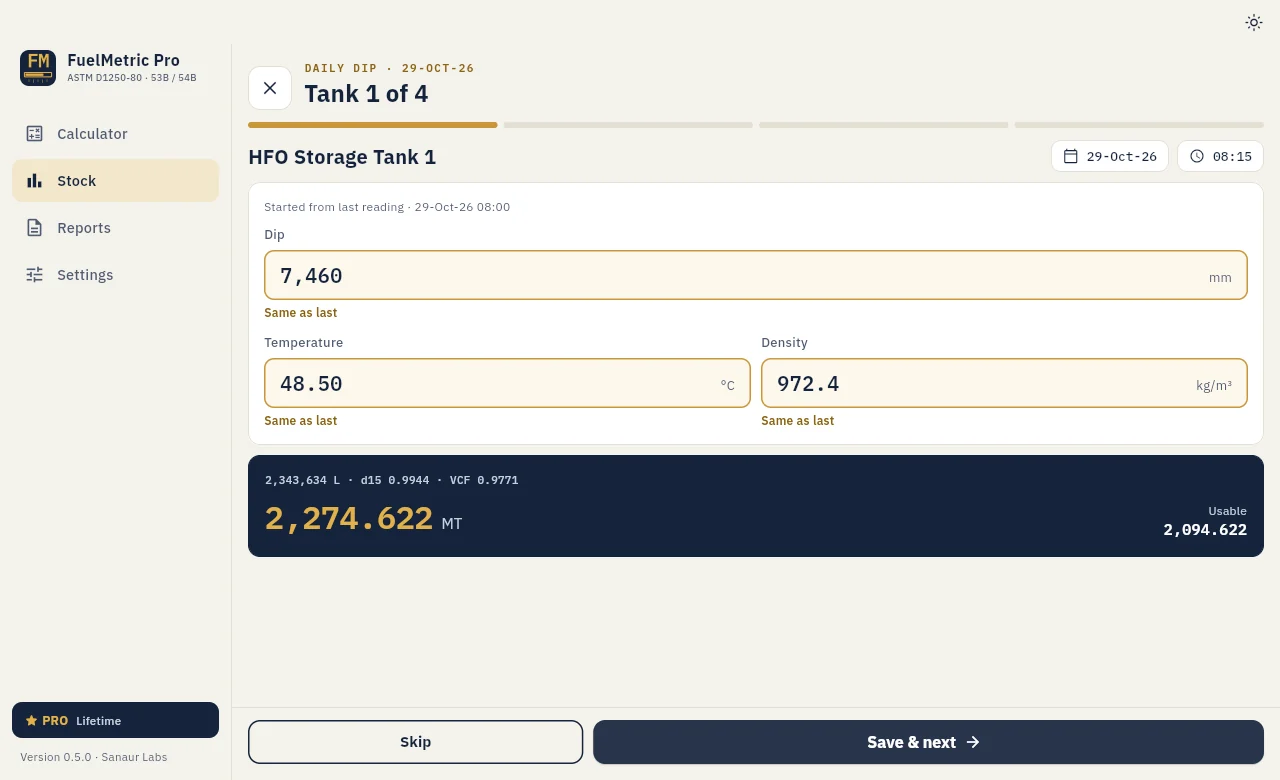
On the Stock page choose New dip. The round goes through every tank (Tank 1 of 4, 2 of 4 and so on).
- Check the date and time at the top. On a PC the time can be typed (24-hour).
- Each tank starts from its last reading. Under each field the app shows Same as last or Changed, so you only change what has changed.
- Enter the Dip (mm), the Temperature (°C, read to 0.25 °C) and the observed Density.
- The result shows the observed volume, density at 15 °C, VCF and the stock in MT, with the usable stock.
- Choose Save & next, or Skip for a tank you did not dip. The last tank has Save & finish.
Stock
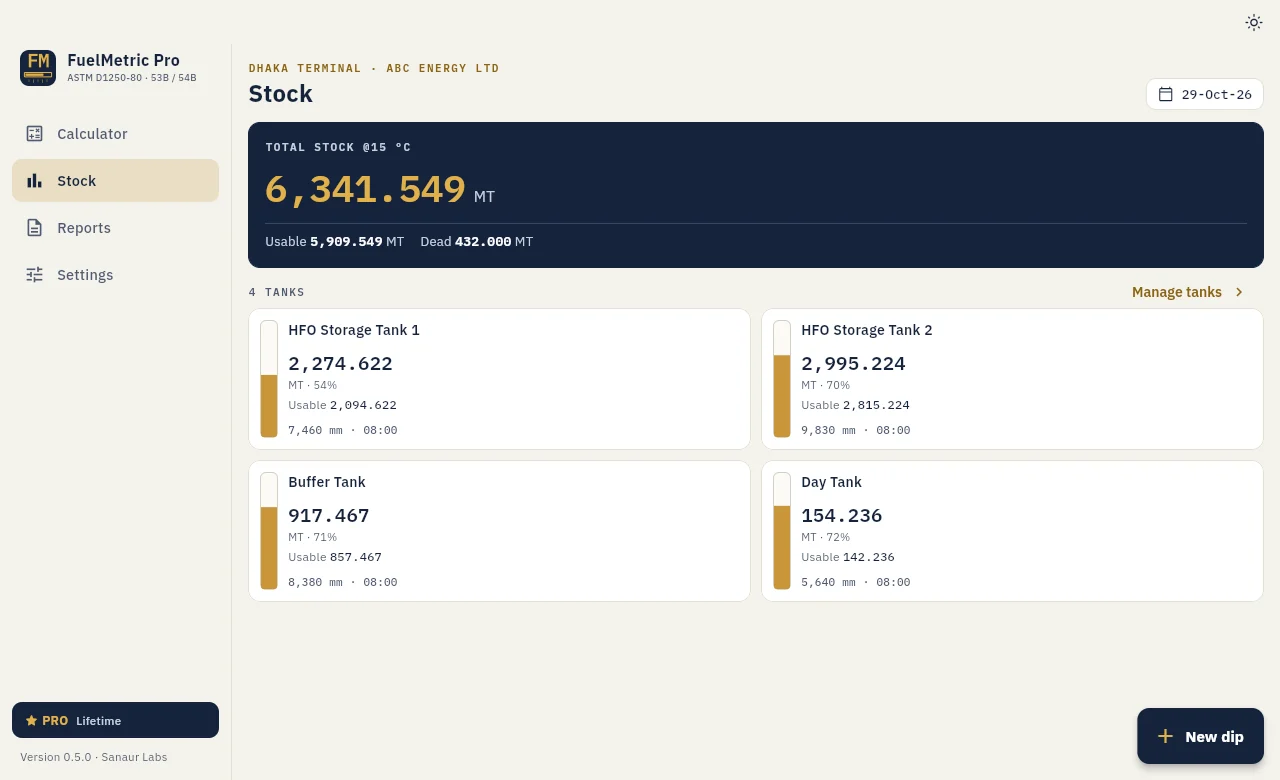
The Stock page shows the total at 15 °C, the usable and dead stock, and each tank with its level and last dip. A tank without a dip on a day keeps its last reading (carried forward).
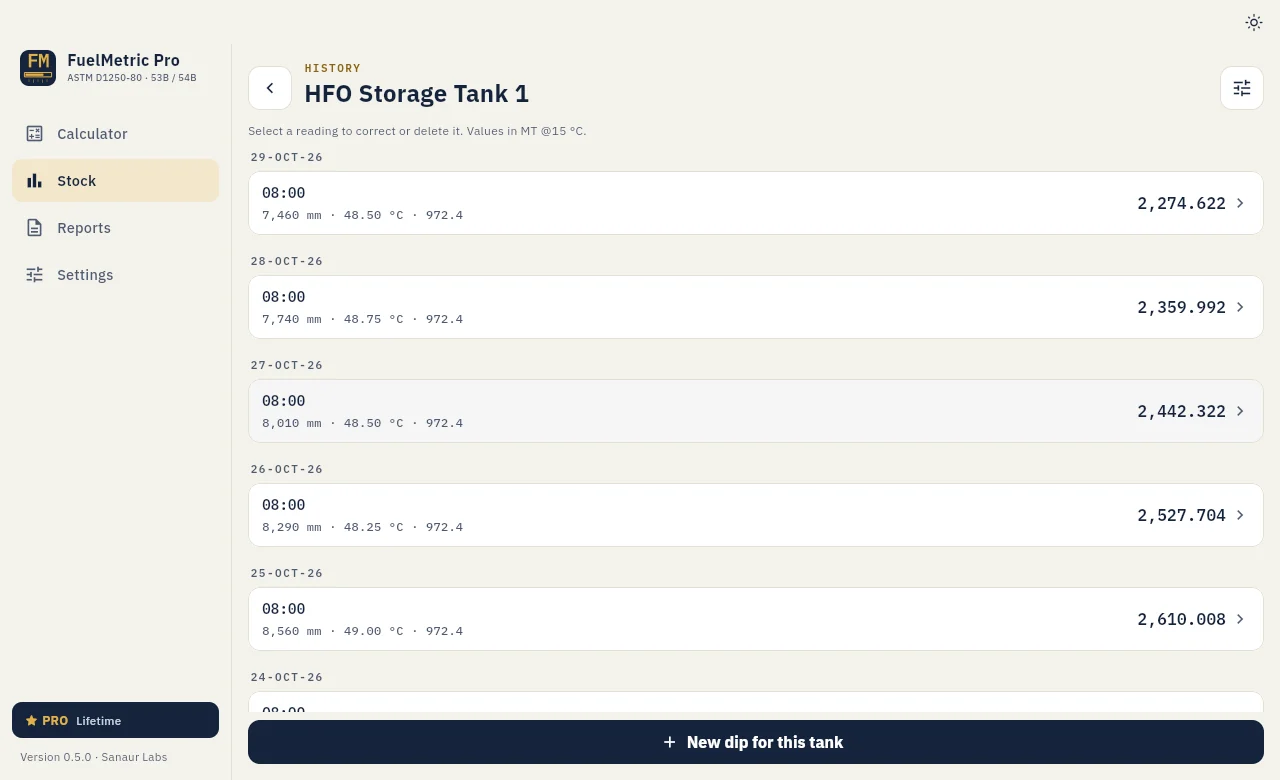
Correct or delete a reading (Pro)
On the Stock page, select a tank to open its History. Select a reading, change the values and add a reason if you like, then choose Save changes. The reading shows "Edited", and the stock and the Daily Stock Report for that day are updated. If you delete a reading, that day uses the previous reading.
New dip for this tank, at the foot of the history, records one tank outside the round.